











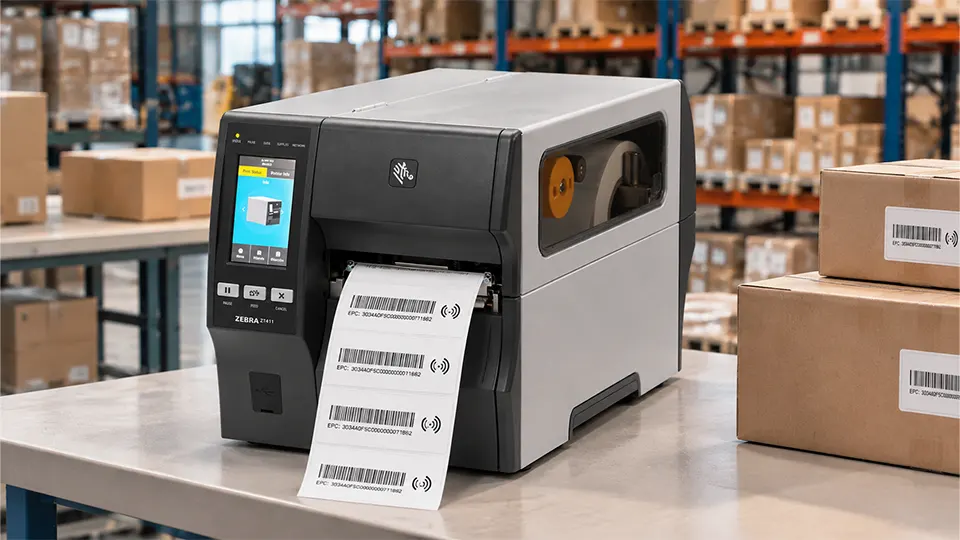
An RFID label can leave a printer looking perfectly finished and still fail when it reaches a warehouse reader. The barcode may scan, the product number may be legible, and the label may be correctly positioned on the packaging. Yet the chip could contain the wrong EPC, or the encoding operation may never have succeeded.
This distinction matters wherever RFID labels are produced in volume. A printer must coordinate conventional label printing with radio-frequency communication, memory access and, where supported, encoding verification. The exact sequence depends on the printer design, RFID media and software configuration, but the underlying principle remains the same: printed information and chip data must correspond to the same physical label.
Understanding how these operations work helps system integrators select compatible equipment, diagnose encoding faults and build a more dependable label production process.
Printing and Encoding Happen in the Same Workflow
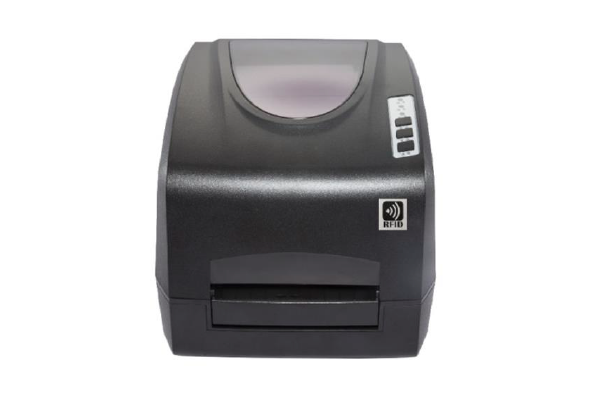
An RFID printer combines conventional label printing with an RFID reader-writer module. The print mechanism produces visible information, while the RFID module communicates with the chip embedded in the label’s inlay. A controller coordinates these functions as the label advances through the printer.
For thermal transfer printing, a heated printhead transfers ink from a ribbon onto the label material. Direct thermal printing uses heat-sensitive media and does not require a ribbon. Both methods can produce text, barcodes, serial numbers, batch references and other information used by warehouse or retail systems. Neither printing method, on its own, writes data into an RFID chip.
The RFID operation takes place through the printer’s antenna. In a typical UHF configuration, the printer communicates with a passive tag and writes the assigned data into its supported memory area. The label may then undergo a read-back check, depending on the printer’s capabilities and programmed workflow.
The visible and electronic records often contain related information, but they serve different purposes. A printed barcode may represent a product identifier, while the chip’s Electronic Product Code (EPC) identifies an individual tagged item or another object defined by the application’s numbering scheme. Printing the same number in both places is useful only when the software has mapped the fields correctly.
A typical RFID label job may contain:
- A visual template defining text, logos, barcodes and their positions.
- A data record containing the SKU, batch reference, serial number or assigned EPC.
- RFID encoding instructions specifying the target memory area and data format.
- Printer settings for label positioning, media handling and supported encoding functions.
These elements must agree before production begins. A correctly formatted label template cannot compensate for an invalid EPC, and successful chip encoding cannot correct a barcode generated from the wrong database field.
What Happens Inside the RFID Encoding Process?
Most passive UHF RFID labels used in item-level identification follow the EPC Class 1 Gen 2 air-interface specification, also known as ISO/IEC 18000-63. The standard defines how compatible readers and tags communicate. The printer’s implementation determines how that communication is exposed to the print application.
When a label reaches the encoding position, the printer’s RFID module uses its antenna to communicate with the tag. Depending on the device and workflow, it can identify the target tag, access the relevant memory area, issue a write operation and check the resulting data. Encoding power, tag position and protocol settings all influence whether the operation completes successfully.
Gen 2 tags have four principal memory banks: Reserved, EPC, TID and User. Their purposes are different. The Reserved bank holds access and kill passwords; the EPC bank stores the EPC and associated protocol-control information; the TID bank contains tag identification information defined by the chip; and the User bank provides additional storage when implemented. Not every chip offers the same memory capacity or features.
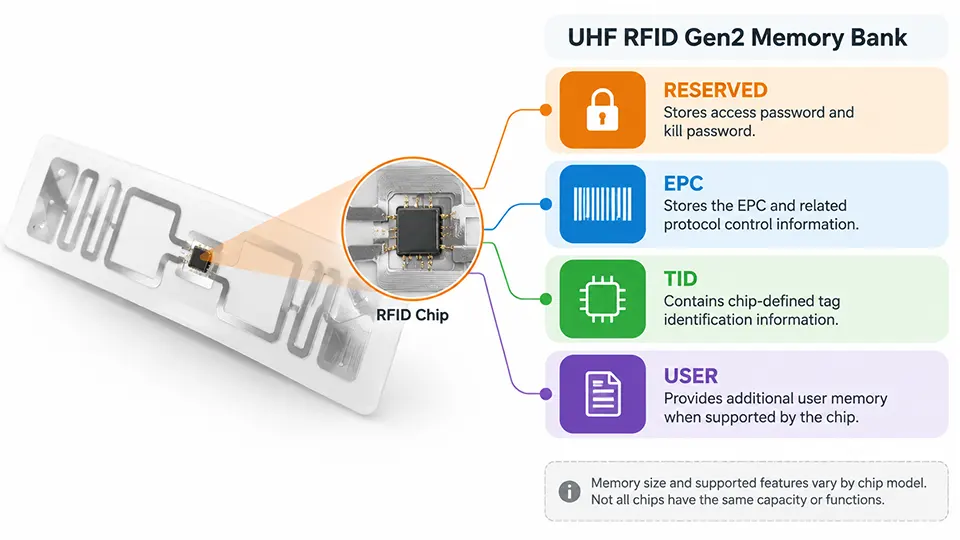
For example, Impinj M730 and M830 are UHF endpoint ICs with different memory configurations and capabilities. NXP UCODE 9 is another example of a UHF RFID IC used in label designs. Their exact specifications must be checked against the relevant manufacturer’s datasheet and the intended tag construction. A printer’s ability to encode a Gen 2 label does not automatically mean every memory function supported by a particular chip is available through that printer.
EPC length also deserves attention. A 96-bit EPC contains 12 bytes, equivalent to 24 hexadecimal digits. A 128-bit EPC contains 16 bytes, or 32 hexadecimal digits. The supported EPC length depends on the chip, its configuration and the printer’s encoding implementation. Protocol-control bits must also be handled correctly so that the tag’s encoded EPC length is interpreted as intended.
The encoding job therefore involves more than sending a string of characters to the printer. The application must provide data in the expected format, the printer must target the correct memory area, and the tag must have sufficient writable memory for the requested operation.
Why RFID Label Calibration Matters
A barcode printer can often handle different label designs by changing the media settings and print layout. RFID media introduces another variable: the position and electrical characteristics of the inlay.
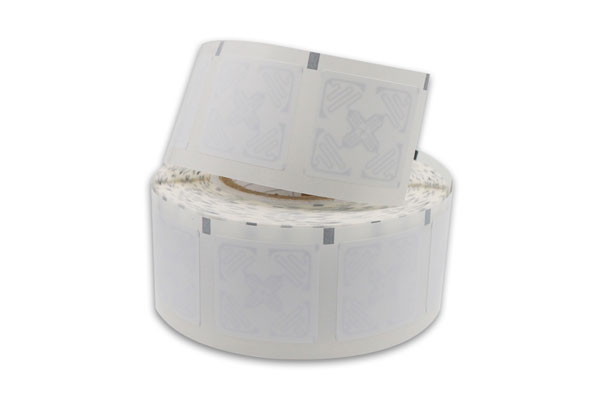
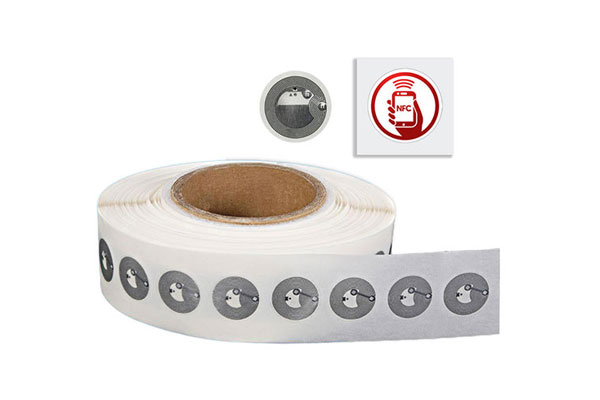
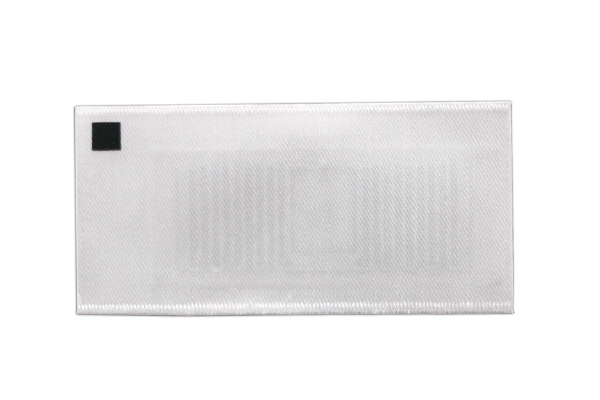
The inlay contains the chip and antenna, usually embedded between layers of label material. Its location varies with label design. The antenna geometry, substrate, adhesive, surrounding material and spacing between labels can affect how the tag couples with the printer’s RF antenna.
During RFID tag calibration, supported printers can determine settings such as the programming position, antenna selection and read/write power level. This is separate from ordinary media calibration, which detects label gaps, marks or other positioning references. Calibrating the label feed alone does not necessarily establish the correct RFID encoding position.
The distinction becomes particularly important with compact labels, unusual inlay layouts and rolls containing different media constructions. If the encoding position is poorly matched to the inlay, the printer may fail to communicate reliably with the intended tag or may interact with an adjacent tag under unsuitable conditions.
Before a new label specification enters production, the media should be tested in the actual printer model. Calibration should follow the manufacturer’s instructions, with attention to the correct label orientation, media settings and surrounding transponders. The test should also confirm that the printer can encode and read back the intended data at the selected production settings.
RFID calibration cannot correct every compatibility problem. Labels designed for metal surfaces, liquid-rich products or other demanding environments may require a suitable inlay construction in the first place. A printer’s RF settings cannot turn an unsuitable label into a reliable one.
When Printing Succeeds but Encoding Fails
Encoding faults can be difficult to spot because the visible label may appear completely normal. A failed write, an incorrect EPC length or a mismatch between the printed barcode and the chip can remain unnoticed until the label reaches a handheld reader, fixed portal or inventory application.
The most useful diagnostic approach is to separate print quality, RF communication and data integrity. Each involves a different part of the process, and changing print darkness or label speed will not necessarily resolve an encoding problem.
Common causes include:
- Incorrect RFID media settings or a programming position that does not match the inlay.
- An unsupported tag type, memory bank or data length.
- Weak or inconsistent RF communication caused by the label construction, positioning or operating environment.
- A mismatch between the data used to generate the printed barcode and the data submitted for chip encoding.
Read-back verification provides a practical way to catch some of these faults before a label is released. The printer or application reads the encoded data and compares it with the intended value. Some printer systems can also report failed or voided labels, but the available functions and the handling of unsuccessful writes vary by model.
A robust production workflow generally follows two stages of validation:
- Validate the data before printing. Check that the EPC has the expected length and format, that the assigned identifier is valid, and that the visible fields are mapped to the correct record.
- Validate the physical label after encoding. Where supported, read back the EPC, compare it with the assigned value and record the result before the label is accepted for use.
The handling of a failed label requires particular care. Repeating the same print command without controlling the data source can produce duplicate identifiers or make it unclear which physical label corresponds to which database record. An exception-handling process should retain the original job reference, identify the failed attempt and ensure that any replacement label is reconciled with the inventory system.
Verification also has limits. Reading the EPC confirms the data returned by the tag; it does not prove that every printed character is legible, that the barcode contains the same value or that the tag will perform reliably in every deployment environment. Those checks need to be designed into the wider quality-control process.
Connecting the Printer to ERP, WMS and Label Software
In a production environment, the printer rarely determines the business identity of an item by itself. That information normally originates in an enterprise resource planning (ERP) system, warehouse management system (WMS), manufacturing execution system (MES) or dedicated label application.
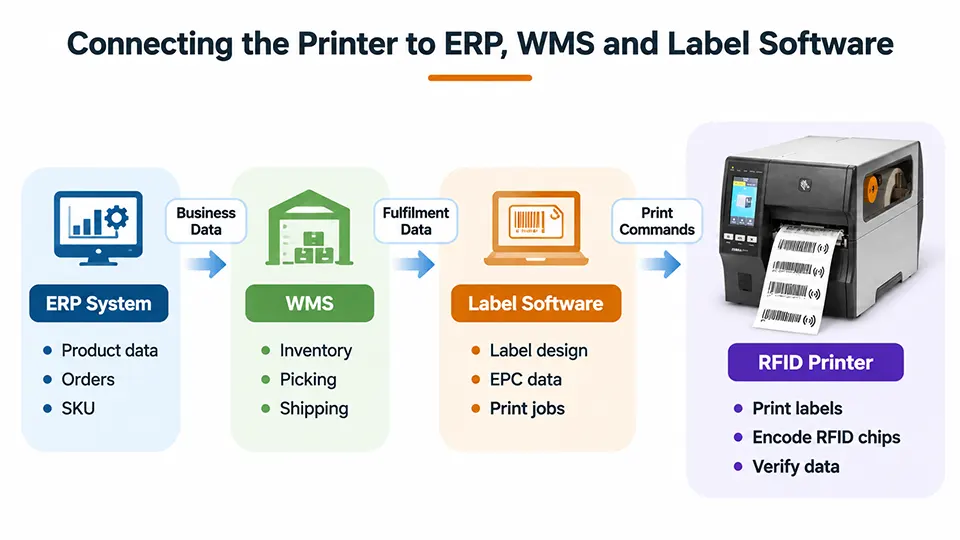
The software creates a print job containing the required visible fields and RFID data. The printer receives the job through a supported interface, interprets its instructions and executes the requested operations. Afterward, status information or verification results may be returned to the host, depending on the device and integration method.
The relationship between the software and printer is important when labels are generated dynamically. Consider a warehouse receiving 500 units of the same product. All 500 labels may share one SKU and product description, but an item-level RFID application may assign a different EPC to each unit. The printed information and encoded data must be generated from the correct record for every label.
Number allocation needs to be managed carefully. A printer can execute a write command, but it does not automatically guarantee that an identifier is globally unique or that the enterprise database has reserved it correctly. Those responsibilities belong to the application’s identifier-management and transaction logic.
Printer command languages are another integration consideration. Zebra Programming Language (ZPL), for example, includes RFID-specific commands for supported printers. Its `^RF` command can be used to read or write tag data, with parameters controlling the operation, data format and memory bank. This illustrates how a print job can combine visible label content with RFID operations in one printer instruction set.
Compatibility should be checked at the level of the actual printer, firmware, driver and command implementation. Support for ZPL in one context does not establish that every printer accepts every RFID command in the same way. Some integrations use manufacturer SDKs, middleware or dedicated label-design software instead.
A well-designed application should also account for timeouts, retries, printer errors and interrupted jobs. If a connection drops after encoding but before the host receives confirmation, the application must determine whether the tag was actually written before resubmitting the task. Otherwise, an uncertain job state can lead to duplicate labels, inconsistent records or unnecessary rework.
Choosing an RFID Printer for the Actual Job
Printer selection should begin with the label and the production workflow, not simply the maximum print speed advertised in a product specification. Two printers with similar thermal printing performance may differ in RFID support, calibration features, memory access, verification functions and integration options.
Print resolution affects the legibility of small text and dense barcodes. Common industrial printer resolutions include 203 dpi, 300 dpi and 600 dpi, although availability varies by model. A higher resolution can help with compact label layouts, but it does not improve RFID chip encoding by itself.
Throughput also needs to be assessed in context. The rated print speed does not necessarily represent the number of successfully encoded labels produced per minute. RFID communication, retries, label repositioning and verification can add time to each job. Production testing with the intended media gives a more meaningful estimate than print speed alone.
The procurement specification should cover the following areas:
- RFID frequency and protocol compatibility, including the intended tag type and supported encoding functions.
- Label dimensions, inlay position, media construction and calibration requirements.
- Print resolution, nominal print speed, daily workload and expected duty cycle.
- Supported command languages, network interfaces, software integration and status reporting.
- Encoding verification, failure handling, service support and availability of replacement parts.
A pilot run should use the actual label stock, chip type, printer settings and application data. It should include ordinary labels as well as cases likely to expose problems, such as changes in EPC length, interrupted print jobs and failed encoding attempts. The resulting records can be used to evaluate first-pass encoding success, reprint frequency and effective production throughput.
The final choice depends on the application. Apparel tagging, warehouse identification, asset tracking and industrial production can impose different requirements on label size, media durability, print quality and data management. An RFID printer is suitable when its printing mechanism, encoding hardware and supported software workflow match those requirements.
Reliable RFID label production depends on the entire chain: correct source data, compatible media, appropriate RF settings, successful encoding and controlled verification. Evaluating these elements together gives integrators and equipment buyers a much clearer basis for selecting a printer and maintaining data consistency throughout the labeling process.
